

 Today we are releasing a brand new fully redesigned BBWin GUI application that will allow the user to quickly and easily add or update the BBWin.cfg file. It is a small standalone application written in C# that provides for most of the configurations that you can find in the BBWin.cfg file. From managing your disks to selecting processes and services to monitor this tool does it all.
When you first launch the GUI it will check to see if it sees the BBWin Service installed on your client and if not will allow you to download it directly from SourceForge.

The next option will be to open an existing cfg file or download our default file.

If you select open existing you will be presented with a Windows Explore window to navigate to the file you want to open. If you select to download the defaults it will pull a generic file from Squidworks.net and start you out with nothing configured. It will auto populate the system name and the default disks, CPU, Memory and Pagefile will be monitored.
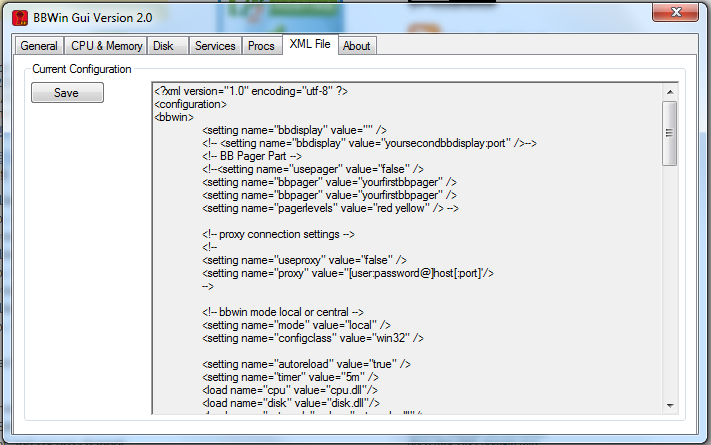
The BBWin GUI is uses a multi tab display to configure the different areas of the BBWin.cfg file. As you navigate across each TAB, different options will be displayed for you to modify as needed. We have incorporated sliders and simple presets areas to make it easier to adjust thresholds without making mistakes to format of the XML file. After making all your changes it is easy to save your file and watch BBWin reload automatically.
DOWNLOAD Here -> BBWin_Gui_v2.2
Screen Shots


DOWNLOAD Here -> BBWin_Gui_v2.2
Enjoy
Cubert 😎