RMMmax’s Chocolatey Manager Tool made for RMM platforms!

Are you ready to take your software management to new heights? Look no further than RMMmax‘s Chocolatey Manager Tool, a cutting-edge Chocolatey Manager Tool designed with simplicity and efficiency in mind. Our tool harnesses the full capabilities of the popular Chocolatey framework, making software deployment and management a breeze.

Why RMMmax’s Chocolatey Manager Tool Is Better

Comprehensive Usage:
RMMmax’s Chocolatey Manager Tool allows you to fully utilize the robust features of the Chocolatey framework. Enjoy complete control over package creation, deployment, and upgrades, all from a single, intuitive interface. Say goodbye to manual installation processes and tedious updates – streamline your software management workflow with one tool!

Streamlined Deployment:
With RMMmax’s Chocolatey Manager Tool, deploying software packages becomes a seamless process. Effortlessly install applications across multiple devices with a few clicks, eliminating the need for time-consuming manual installations. Save valuable resources and focus on other critical tasks while our tool handles your software deployment needs.

Efficient Updates:
Stay up-to-date and secure with RMMmax’s Chocolatey Manager Tool’s automated update capabilities. Say goodbye to the hassle of individually updating software applications. Our tool ensures that all installed packages are regularly checked for updates, guaranteeing your systems are running efficiently and protected against potential vulnerabilities.

Simplified Package Creation:
Tailor software packages to your specific requirements with ease. RMMmax’s Chocolatey Manager Tool simplifies the creation of custom packages, allowing you to include specific configurations, dependencies, and scripts. Take full advantage of the flexibility of the Chocolatey framework and ensure seamless integration into your existing software ecosystem.

Time and Cost Savings:
By harnessing the comprehensive usage of the Chocolatey framework through our efficient tool, you’ll experience significant time and cost savings. Our tool integrates seamlessly into your workflow, minimizes manual effort, and eliminates the need for multiple software management tools. Maximize your productivity and focus on what really matters – propelling your business forward.

Don’t miss out on the opportunity to revolutionize your software management strategy! Visit our website at http://rmmmax.com/toolbox/rmmmax_chocolatey_manager_tool/ to learn more and unlock the true potential of the Chocolatey framework with RMMmax‘s Chocolatey Manager Tool. Experience comprehensive usage like never before!

RMMmax Launches YouTube Channel

RMMmax has launched their YouTube channel as part of their launch of the new RMMmax MSP management portal. RMMmax has filled their new YouTube channel with introductory videos about each of their main tools.  Each of the tools can be used in a global environment, speeding up management and delivery of your MSP’s service program. Many RMMs provide a very basic resemblance of tools or monitors to alert you of an issue, but none go to the lengths that RMMmax does to provide a comprehensive and complete set of tools to fully manage, via remote, all aspects of each of these services.

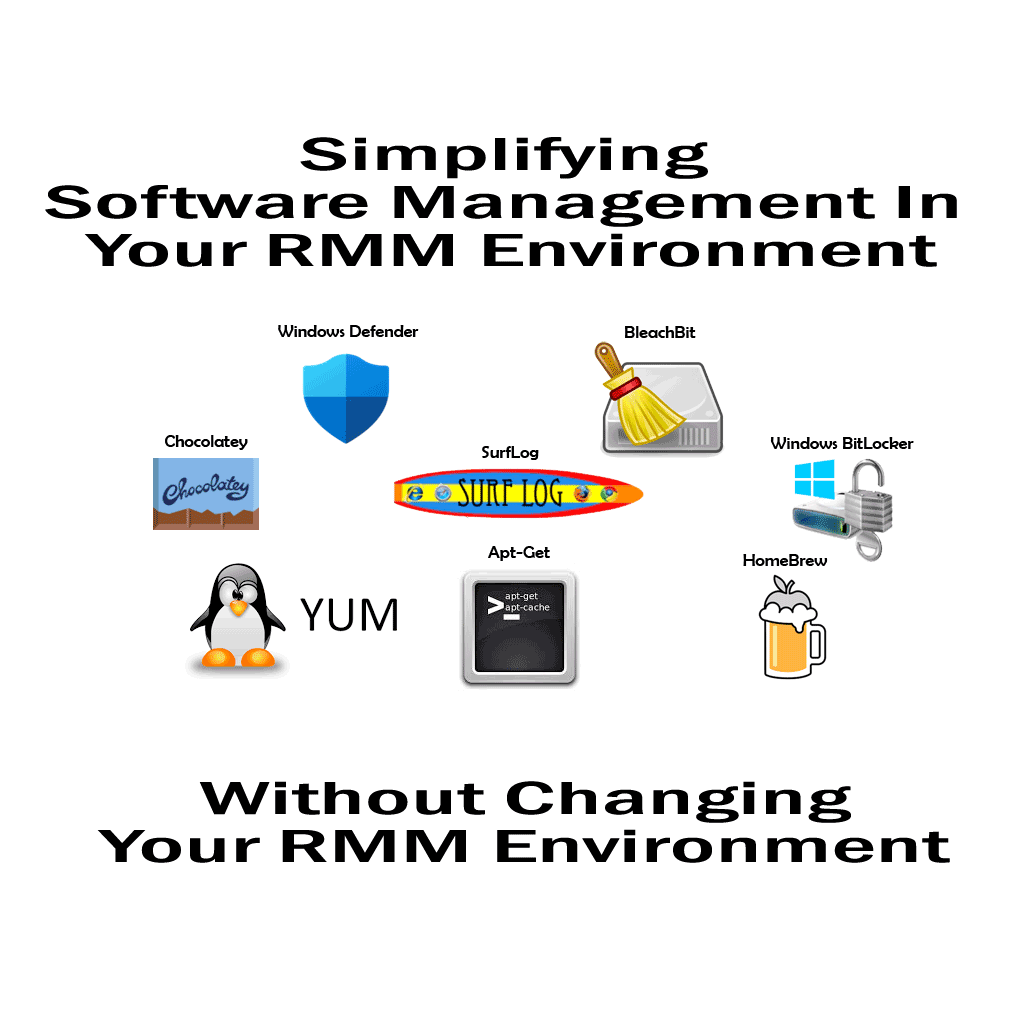
SurfLog is a tool that reports on the browsing usage of Windows Users across your RMM environment.
BitLocker to mitigate unauthorized data access on lost or stolen computers by encrypting all user files.
BleachBit can easily free cache, delete cookies, clear Internet history, shred temporary files, delete logs, and discard junk you didn’t know was there.
Chocolatey a global silent installer and maintainer for applications and tools.
Windows Defender is a real-time PC security solution available on every Microsoft OS.

RMMmax YouTube Channel

Make sure to subscribe and punch the like button if you like the videos.

And don’t forget to visit RMMmax.com to get in on the free services during their big Beta run.

RMMmax.com

RMMMax Goes In To Beta

RMMMax is a RMM companion console that brings new functions and tools that can be used inside any RMM environment. Imagine being able to add new functions and tools independent of the existing RMM platform. The RMM’s vendor platform is no longer the defining factor on what tools and services are at hand to manage your environment.

The RMMMax toolbox integrates with your existing environment adding new features and functions to allow you to have more flexibility and control over the environment.

So where’s the beta? Just follow the link to RMMMax.com to get more information on the project and to access the sign-up area. Once you have signed up, you will receive a email to confirm your email address and activate your new team. A team represents the entire MSP environment and any techs or engineers you want as members of your MSP’s team.

The first 4 RMM platforms supported are:

  • Datto RMM
  • ConnectWise Automate
  • ScreenConnect(CWControl)
  • TacticalRMM

The first 4 Tools are:

  • Chocolatey Manager
  • SurfLog Web Usage Analyzer
  • BitLocker Manager
  • Windows Defender Manager

Beta is limited and may be unavailable once maximum loads have been met. By having your support during the beta program, we will be able to deliver a better experience and improved usability to the MSP community.

We add feature requests at the speed of Wow!

There is one thing we at Plugins4Automate take seriously, and that is giving you the tools you want as efficiently as possible. We promote using our support forums to request new features and additions to our plugins, and as a customer your ideas are important to us. You will find that many good ideas come from the engineers that are working the trenches. Below was a resent post to our Active Directory UC plugin forums from one of those engineers. A customer of our Habitat plugin is trying out our Active Directory UC plugin and had observed an issue they needed addressed.

Original Post

We are planning on using this tool for our helpdesk to be able to provide rapid assistance to our customers for things such as disabling users upon employment termination, unlocking accounts, and resetting passwords. We also use groups for deploying access to applications, printers, etc, so being able to quickly see groups is an essential piece. This tool would allow us to provide helpdesk staff essential access without giving helpdesk staff direct console access or MMC access to any customer servers or internal administrative resources unnecessarily.

However, I would like to ask for a few feature requests, some security-related. Can you provide a Settings administrative center similar to that of Habitat, where certain buttons can be turned off and on? For example, we don’t want our helpdesk staff to be able to create or remove users as that requires documented approval and privileged access control for our customers and is a security risk per SOC2 MSP compliance. 

About 10 days later,  Active Directory UC build 1.0.0.3 was released that added the framework for User Class permission control over plugin access. We often roll things like this out in pieces so build 1.0.0.4 will have more of the operation security in place to control the levels of access different Automate users can have.

So if you are a current subscriber to any of our plugins and feel there is some tool you could use, it pays to place it in our support forums as a feature request.

Chocolatey For Automate 3.5 Now Available

Are you trying to use ConnectWise Automate and Chocolatey?


Having trouble with the IP blocks and throttling that Chocolatey places on each of your clients locations?
You need Chocolatey For Automate 3.5

https://www.plugins4automate.com/blogs/blog/chocolatey-for-automate-3-5-now-available

Plugins4Automate has harnessed the power of Chocolatey and brought it into the ConnectWise Automate RMM platform. This allows MSPs to control mass amounts of Windows systems and software applications in a very simple to use interface. In fact, managing software applications could not be easier when using the Chocolatey For Automate. 

pfSense Firewall Device Manager For ConnectWise Automate

If your clients are using NetGate or PFSense as firewalls and VPN access devices in your ConnectWise Automate environments, have a look at this new tool.

Plugins4Automate has released the new PFSense Manager for ConnectWise Automate. This tool is awesome! Get full control over your endpoints and manage easy daily backups of your deployed devices.

https://www.plugins4automate.com/blogs/blog/netgate-pfsense-firewall-manager-for-connctwise-automate

Get real control over your end devices and manage them with ease with PFSense Manager for ConnectWise Automate.

Patch Remedy 5 for ConnectWise Automate?

Plugins4Automate is working on the next generation Patch Remedy plugin. A plugin which is a completely new and fully rewritten for todays issues with Windows and ConnectWise Automate patching. The advent of Windows 11 and the fact that Windows 7 official support ended in January 2020, the Patch Remedy plugin needed a new reason to live.  Days of solving Windows 7 WUA issues has passed.

Thanks to ConnectWise Automate for making a patching service that in many ways is to complicated for small and mid-sized MSPs. The learning curve to deploy, operate and maintain the patching services for ConnectWise is steep. What many MSPs want is a simple solution that automates the process of patching in a easy to mange way. A plugin that has the ability to resolve patching related issue and can quickly see the status of and control the features for the patching environment. We hope that Patch Remedy 5 fills this gap and provides patching solutions that are easier to manage. 

Why? Because Plugins4Automate makes managed services easier to manage!

Patch Remedy 5 is not publicly available yet! But that won’t stop you from getting a taste of what’s coming. Plugins4Automate has launched the support forum for Patch Remedy 5, where I hear a beta is going to be presented soon. Come have a look at new Patch Remedy 5

Patch Remedy 5 Pre Launch Forums

https://support.plugins4automate.com/viewforum.php?f=76

What’s new in Habitat for Automate?

It has been an especially good year for Habitat, our tool box for ConnectWise Automate. Habitat has seen some significant improvements and additions over this last year including the following new tools.

Habitat Application Manager

The new Habitat Application Manager is a deployment and update manager for third party applications running on Windows agents inside ConnectWise Automate. This allows the MSP the ability to install application if needed but better yet Habitat auto detects what applications maybe installed on the end agent and matches up packages in it’s approved applications list with installed software to update and manage the application moving forward. This tool replaces the “3rd Party Application” tool in Habitat.

Habitat OneDrive SYNC Status Tool

The new Habitat OneDrive tool collects and displays Agents business or personal OneDrive statuses. This tool is used to collect and monitor the the status of personal and business OneDrive directory syncs directly inside Automate.

Microsoft Safety Scanner Tool

The Microsoft Safety Scanner, formerly Emergency Response Tool is now fully integrated into Habitat for ConnectWise Automate plug-in. Microsoft Safety Scanner is a scan tool designed to find and remove malware from Windows computers. Simply Run scans to find malware and try to reverse changes made by identified threats.

Safety Scanner helps remove malicious software from computers running Windows 10, Windows 10 Tech Preview, Windows 8.1, Windows 8, Windows 7, Windows Server 2019, Windows Server 2016, Windows Server Tech Preview, Windows Server 2012 R2, Windows Server 2012, Windows Server 2008 R2, or Windows Server 2008.

Secure Your Clients Office365 Data From Dubious Providers

If you are using ConnectWise Automate then listen-up

There is a pretty good chance you are also managing clients Office365. You maybe even use a online service to manage all clients together but is that really secure? There shouldn’t be a middle man between you and your clients data and actives.

For a $1 a day, bring all that control and security into your Automate platform keeping it safe and secure. Manage Office365 services directly from ConnectWise Automate consoles.

https://www.plugins4automate.com/blogs/blog/what-a-month-of-growth-for-office365-for-automate

ConnectWise Automate Users Are Getting More Done With Habitat For Automate

Microsoft One Drive Status Monitor

Come see the latest tool added to Habitat for ConnectWise Automate, Microsoft OneDrive Status Monitor is the newest tool in the Habitat toolbox.

https://www.plugins4automate.com/blogs/blog/new-in-habitat-for-automate-one-drive-status-monitor

Get real value from your ConnectWise Automate environment with Habitat.